
Real-time 3D that explains what words cannot — and still loads fast
Some things are hard to describe and easy to understand once you can turn them in your hand: a product, a model, a structure, a dataset, an idea. We build real-time 3D for the browser that invites people to explore — engineered so that every device, from a flagship phone to an old laptop, gets an experience that works.
Where most organizations stand today
Your offer is complex, and flat pages do not do it justice
A previous 3D attempt made the site slow and heavy on phones
Video shows the product, but visitors cannot explore it themselves
Your data or model is rich, but nobody grasps it from a table
Immersive 3D & Interactive Experiences
3D heroes and signature moments
A first screen people remember: a live, interactive scene instead of a stock photo — calm and elegant, never a gimmick, always tied to what you actually do.
Product and model viewers
Turn, zoom and inspect objects in the browser, switch materials or variants, and highlight details with annotations — no plugin, no app download.
Interactive data and system visualization
Complex structures — networks, matrices, flows, geographies — rendered as explorable scenes, with hover information and guided camera paths.
Guided 3D storytelling
Step-by-step tours through a scene: the camera moves, points light up, text explains — ideal for teaching, onboarding and explaining a method.
Performance engineering and fallbacks
The 3D library loads only when a device can run it smoothly. Weak devices, data-saver mode and reduced-motion users automatically get an elegant still version — the page itself never waits for the 3D.
Accessible by default
Every scene has a text equivalent, keyboard access where it matters and respects reduced-motion settings, so 3D adds to the experience without excluding anyone.
- Interactive real-time scenes on one platform
- 8+
- Interactive real-time scenes on one platform
- 3D code loaded on weak, data-saver or reduced-motion devices
- 0 KB
- 3D code loaded on weak, data-saver or reduced-motion devices
- Of visitors get a working version — 3D or still
- 100%
- Of visitors get a working version — 3D or still
Where this is already running
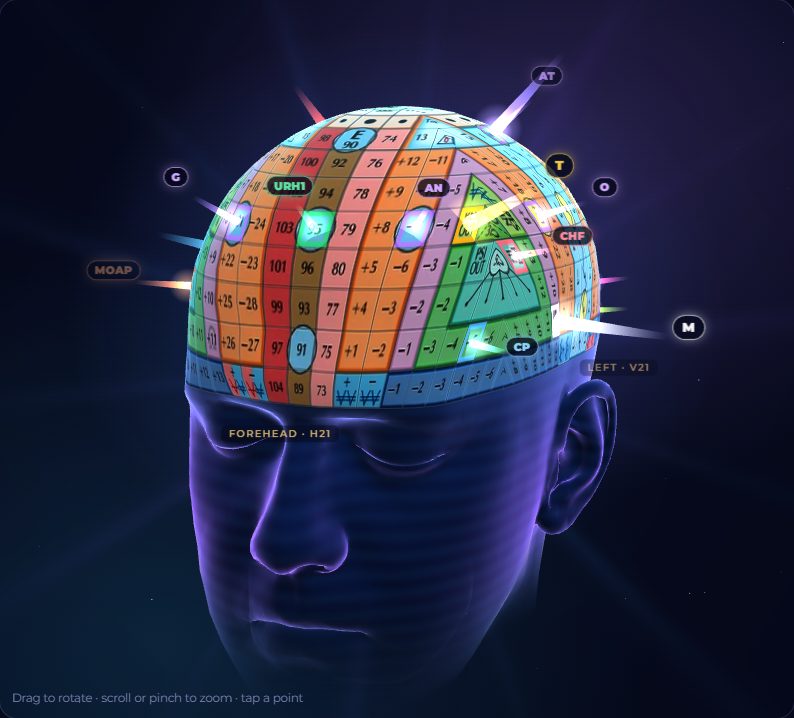
Technology we use for this
- three.js
- WebGL2
- Canvas
- Instanced rendering
- Performance budgets
- Reduced-motion support
What clients ask about 3D Experiences
Will 3D slow down our website?
Not if it is engineered as a layer on top of a fast page. We load the 3D library only when the device can run it, defer it until the scene is in view, and serve a still image to everyone else. The text, navigation and calls to action never wait for the 3D.
Do visitors need a special browser or plugin?
No. Real-time 3D runs in every modern browser through WebGL. Visitors simply open the page; on phones the scenes respond to touch.
Can you use our existing 3D models or CAD data?
Usually yes. Models are converted and optimized for the web (glTF), reduced in size and given web-friendly materials. Where no model exists, we build the scene procedurally from your data or drawings.
Is 3D accessible?
Every scene comes with a text equivalent and respects the reduced-motion setting of the operating system. Interactive elements can be reached without a mouse where they carry information.
Works best together with
Let’s map what this would look like for you.
A free consultation: we look at your current setup and sketch the architecture — no obligation, no sales script.